
HailRecon vs RoofHeadsUp: which field workflow fits your crew?
Choose around the work your crew needs to do after hail: study a radar swath, manage canvassing, or start with a ranked address workbook.
I’m Ben, the founder of RoofHeadsUp. This comparison reflects that perspective. It is a guide to product fit, not an independent test of storm accuracy or a promise that one tool will win more jobs.
Compare the handoff to your crew
| HailRecon / Interactive Hail Maps | RoofHeadsUp | |
|---|---|---|
| Starting point | Radar hail maps and field canvassing tools | A qualifying storm alert and ranked address workbook |
| Working in the field | Mobile mapping and territory/canvassing workflows | Storm Brief, Address Candidates, and Street Summary in XLSX |
| History | Historical hail maps and radar replay | Historical storm dashboard included with Pro and Market Leader |
| Buying scope | State and nationwide subscriptions; check the vendor’s current offer | Selected service areas across TX, OK, KS, CO, NE, and MO |
| Pricing | Annual plans listed on the official pricing page | Published monthly plans with a 14-day trial |
| What a map proves | Radar-estimated weather is not a roof inspection | Nearby candidate addresses do not establish property damage |
Where HailRecon is the better choice
If your crew uses a map throughout the day to navigate hail swaths, mark properties, and manage canvassing, evaluate the HailRecon field workflow. Its mapping and canvassing combination is a reason to buy it, not something to dismiss as “just a map.”
Check the full subscription scope: states, term, seats, contact data, and the features your reps actually use. Interactive Hail Maps publishes a pricing page; our older statement that its prices were unpublished was outdated.
Where RoofHeadsUp fits
A local owner-operator may already have a CRM and a way to manage inspections. The missing step is deciding which nearby streets to check after a qualifying report. RoofHeadsUp monitors selected markets on an hourly schedule and supplies the storm context and candidate-address workbook for that handoff.
The workbook helps prioritize field work. It does not supply exclusive leads, verify roof damage, or produce a turn-by-turn optimized route. Government roofing bids are included with paid plans for teams that also pursue public work.
What about the RoofHeadsUp app?
RoofHeadsUp’s iOS customer app is built around a street map, storm alerts, and report access for existing customers. It is not a replacement for HailRecon’s canvassing workflow. Start by evaluating the workbook here; confirm mobile availability for your team before making it a purchasing requirement.
RoofHeadsUp · published monthly pricing
1 service area
3 service areas
10 service areas
14-day trial. Every paid plan includes hail alerts, ranked address reports, and government roofing bids. Compare plan details.
Try the same decision in both tools
Pick a storm in a market you know. In HailRecon, inspect the map and the field workflow. In a RoofHeadsUp workbook, review the event context, candidate addresses, and street concentrations. Ask a rep where they would begin and why. Time the work, then check whether the result fits your existing process.
If deeper weather analysis is the missing piece, also read our HailTrace comparison. If budget and setup are the main constraints, use the small-crew buying guide.
Inside the workbook
From storm context to streets worth checking.
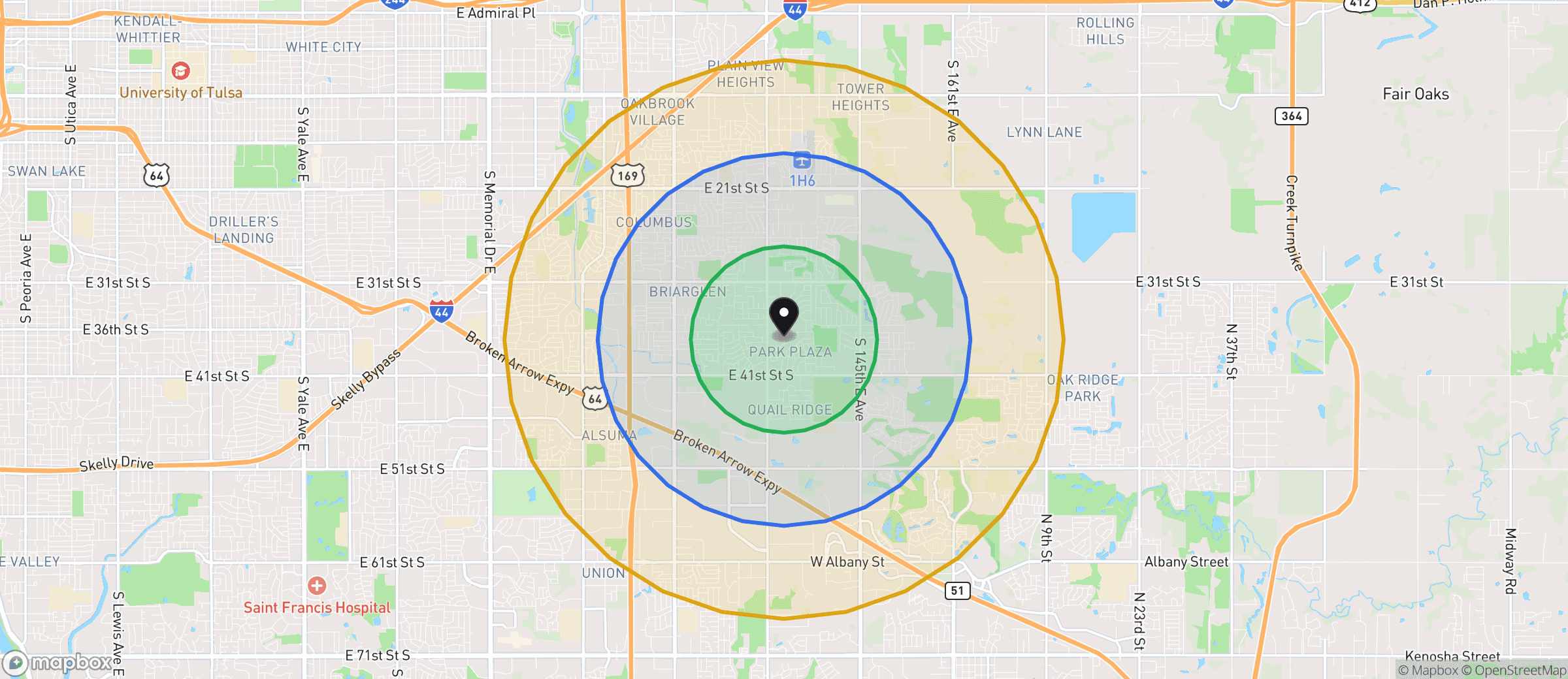
Example workbook map · Oklahoma · distance tiers, not a verified damage boundary.
- 01 / CONTEXT
Storm Brief
Review location, timing, reported hail size, and the map before sending anyone out.
- 02 / PRIORITIZE
Address Candidates
Work through up to 500 ranked candidate addresses. Proximity is a reason to check, not a damage finding.
- 03 / PLAN
Street Summary
Find clusters of candidate addresses, then plan your own field route and verify conditions.